
Petaluma Police Record Changes
One caution comes straight from the city. Petaluma warns that an arrest row can be corrected, supplemented, or removed. A dated result is a snapshot, nothing more. The incident number is your best anchor for a police-record request. Then match the date, time, charge, location, name, age, and status to confirm you found the right Petaluma event.
No fixed publication schedule exists. Don't treat the feed as a guaranteed daily, weekly, or 30-day arrest list. Read the dates shown on the page itself. If a known arrest is missing, the row may never have posted, may have changed, or may belong to an agency outside Petaluma Police. County custody questions go to the Sheriff roster. City event questions belong with Petaluma Police Records.
The city layer shows no booking-photo field. County intake at MADF builds a separate record, and the official Sheriff result may display an inmate picture. Availability can shift after release, transfer, sealing, or correction. Once an arrest becomes a filed case, Sonoma Superior Court handles the hearings and outcome. That split matters. It keeps a changeable city event row from being mistaken for current custody.
How Petaluma Arrests Work
Petaluma Police records arrests made by its own officers. After an arrest, some people head straight to county jail, where Sonoma County detention staff run intake and classification at the Main Adult Detention Facility, better known as MADF. That booking step creates a county custody record. It can lag behind the police event. So a city-log row and a Sheriff roster result may not appear together, and some police contacts never involve a jail stay. A Petaluma arrest-log entry alone doesn't show whether the person is still confined.
Petaluma ranks as Sonoma County's second-largest incorporated city. The California State Controller's 2024 city residents report puts the population at 59,094 residents. That rank says nothing about arrest rates. Petaluma Police runs its own event feed while the county operates the shared jail system, so always check the agency field.
Petaluma Record Publication Channels
Official channels come first because each one has a clear owner and scope. The city log tracks police events. The Sheriff roster covers current or recent county custody. It may display an inmate-picture field. The county arrest table adds another event view, and the Sonoma County Sheriff lists no app for a jail roster or daily booking-photo feed.
| Channel | Photo | Best use |
|---|---|---|
| Petaluma Police arrest log | No field identified | Petaluma police events in the changeable city GIS feed |
| Sheriff inmate search | May display | Current county custody, facility, bail, and calendar details |
| Sheriff arrest log | No | Recent events across participating agencies |
| Local news or county mirrors | Varies | Secondary context only; confirm against an official source |
The Press Democrat and regional Patch pages sometimes report individual Petaluma arrests. Story-driven coverage leaves gaps. RecentlyBooked may reproduce Sonoma County material, but the site is unofficial and can run stale or incomplete. It never replaces the city, Sheriff, or court record.
Find an Arrested Petaluma Person
Start with the question, not a broad name search. The stages differ. A police event, a completed county booking, present custody, and a court outcome each sit in a different place. The most direct lookup sequence follows:
- Open the official Petaluma log and search the bounded 30-day view for the date, name, case ID, and arrest location.
- Use the Sheriff inmate search with a last name or booking number when current county custody is the issue.
- Compare name, age, agency, booking date, facility, charges, bail, and calendar details to avoid a same-name mistake.
- If no result appears, allow for booking lag, release, correction, or a noncustodial event. Contact the proper records office.
- Use Sonoma Superior Court records for filed charges, hearings, and the final disposition.
The Sheriff portal answers a narrow question. It is not a full arrest-history database. Someone can leave the roster after release even though a detention file still exists. The Sonoma County recent-arrests hub explains the county roster and booking channels in more depth.
Petaluma Police Arrest Records
Fees start with the paperwork. The Petaluma report-request form sets $12 for a traffic or crime report and $18 for a clearance letter, with calls-for-service charges that vary. Expect about ten business days for processing. An open investigation or a legal exemption can keep a report from being released at all.
A second city form shows a $2 report charge. That figure covers reports, not booking photos. For jail records after release, the Sonoma County Sheriff Records Unit handles requests. Give the full name, the event date, any report or arrest number you have, and a clear description of what you need. Privacy, safety, juvenile, and sealing rules can still limit what gets released.
Petaluma Police Department969 Petaluma Boulevard North
Petaluma, CA 94952
Department: 707-778-4372
Non-emergency: 707-778-4372
Records counter: Monday-Friday, 9 a.m.-4 p.m.
Local reporting can add context. The Patch Petaluma page covers selected incidents rather than every city arrest.
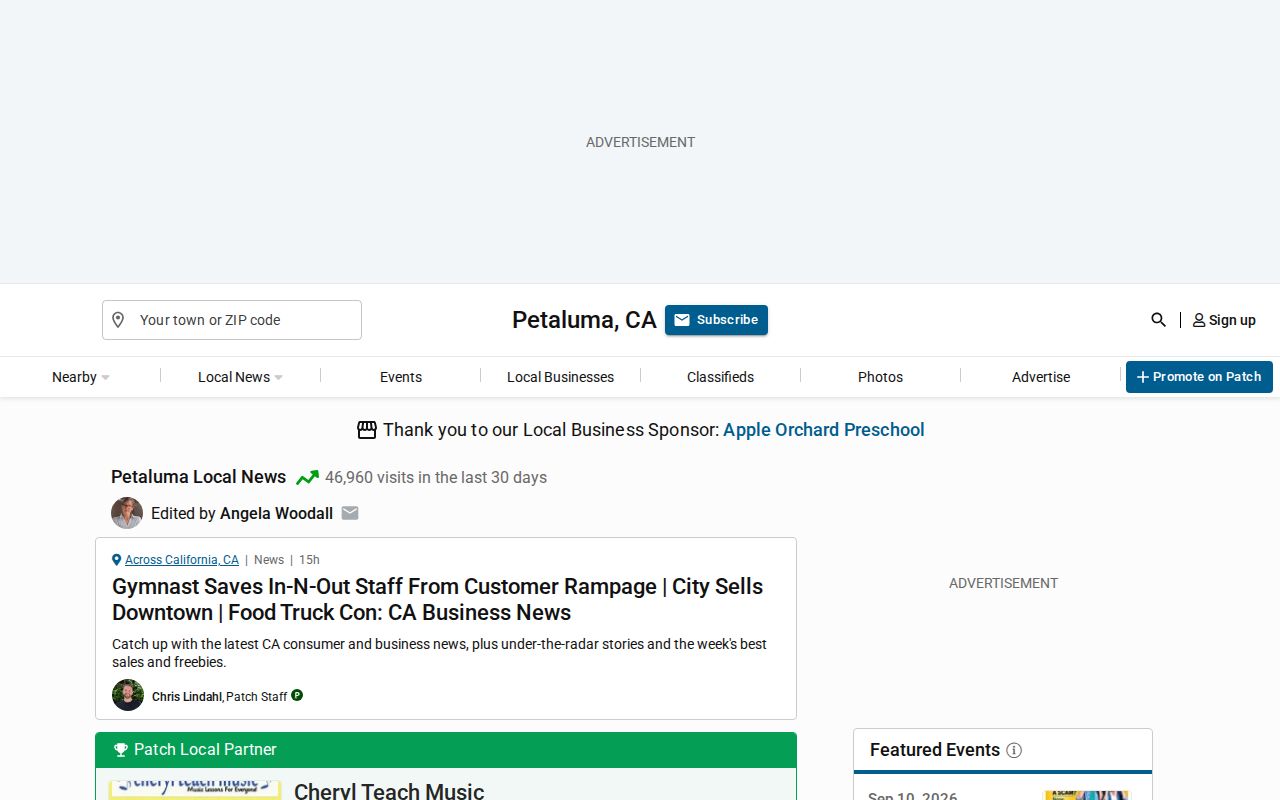
News coverage is secondary context. A headline can lag behind the official record or get details wrong. Check every arrest against Petaluma Police, the Sheriff, or the court. The agency source wins.
Petaluma Arrest Data Can Change
Petaluma publishes arrests through an automated GIS feed. Think of it as a living event log. Rows can be corrected, supplemented, or removed later as new facts, policy, law, or court action develop. Each row carries the date and time, arrest and case identifiers, charge sequence, degree and description, location, name parts, race, sex, birth date, age, and status. The layer lists no photo field. Its last-edit timestamp is only an interface marker. No fixed minute count promises that a new arrest will appear that fast. The official feature layer shows the data structure behind the city view.
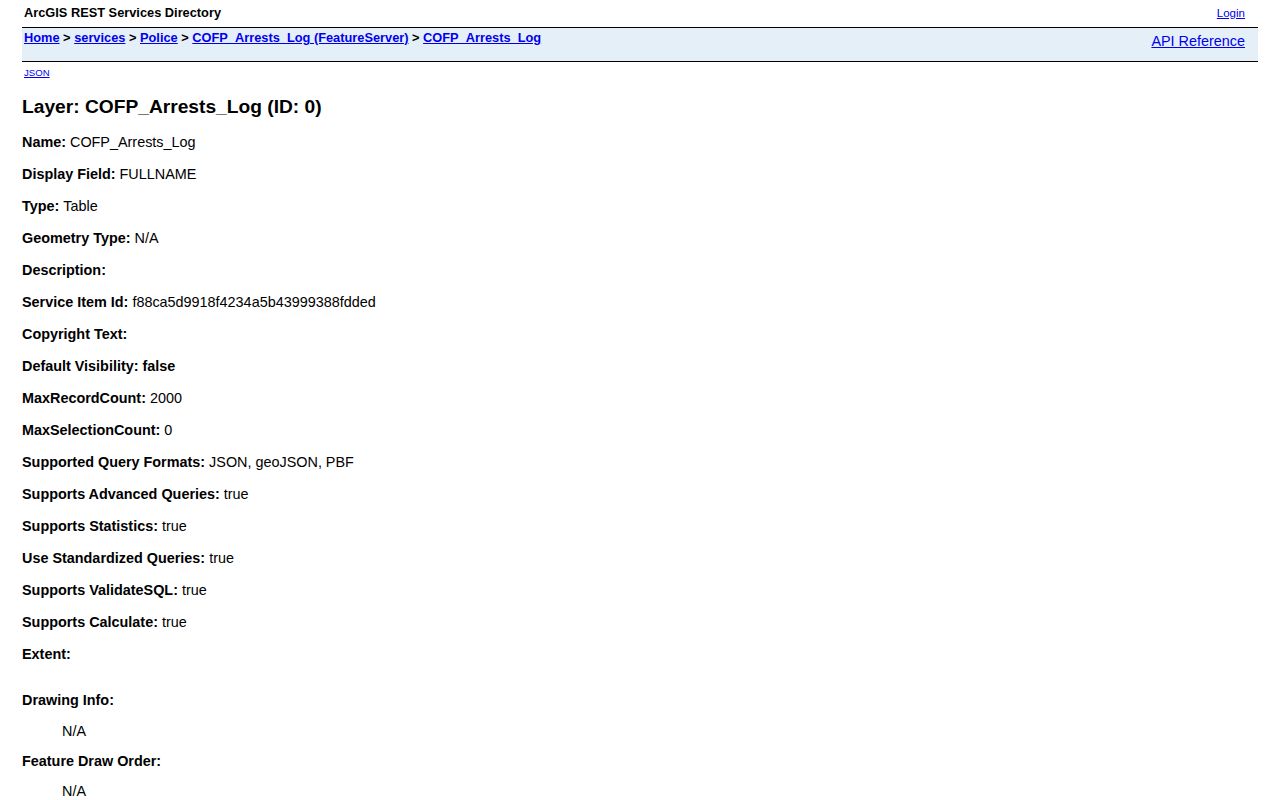
The field list explains the city feed's limits. It works well for an event search. It cannot tell you whether a person is still in jail. Custody sits with the Sheriff rather than the city. Weekends, holidays, corrections, and field edits follow no published schedule, so treat the feed as a record of events rather than a live custody answer. Check the displayed event date first, then verify custody through the Sheriff. For an older city event outside the bounded window, call the correct records desk instead of treating a secondary mirror as an archive.
Petaluma Court Disposition Records
Booking comes first. Then arraignment follows. At arraignment the court addresses the filed charges and the legal process that comes next. The city log's charge description stays an arrest-stage entry. It is not the final result. Sonoma Superior Court is the later source for hearings, filed counts, and disposition. Disposition means how the case ended. A release, transfer, correction, or sealing action can also change what appears online, so the city log and the Sheriff roster may differ without either serving as a full case history. Keep the case or arrest number when requesting a correction. If an official source changes, stale copies sitting in search results may need a separate refresh request. Note: A missing roster result can mean release or incomplete booking, not that the Petaluma arrest never happened.
Petaluma Booking and Custody Records
When Petaluma Police books someone into county jail, that person lands at MADF. County staff handle intake. Classification is county work too. A Sheriff result can then show a booking number, arresting agency, booking date, facility, charges, bail, calendar details, and an inmate-picture field. The county portal takes only a last name or booking number. It covers current or recent custody. It is not a full history of Petaluma police events.
The two sources run on different clocks. A Petaluma event row may post, change, or vanish as new facts, policy, law, or court action develop. A county result waits until booking is complete. The Sheriff publishes no fixed refresh interval. After a release, the roster entry may change while the city event stays put. The city layer lists no photo field, though a county result may display a picture under the live portal and the law.
For city material, give Petaluma Police Records the event date and incident number. Its form quotes ten business days for processing. Fees run $12 for a traffic or crime report and $18 for a clearance letter. Calls-for-service charges vary. Those prices cover the listed report products, not a booking photo. Investigation and other exemptions can still restrict release.
Need a county detention file after release? Call Sonoma Sheriff Records at 707-565-2204 or email Sheriff-CIB@sonomacounty.gov during weekday business hours. Filed charges and hearings belong elsewhere. They sit with Sonoma Superior Court. A city event row is not proof of present custody, and a roster entry is not a final court result. Official corrections and the court outcome outweigh an old news report or any unofficial mirror. The Sheriff detention line, 707-565-1400, answers current custody questions the website cannot resolve, serving the Main and North County facilities rather than the city event feed.
Petaluma Police Department Location and Directions
Public Record Search
Sponsored Results